

Cart
0
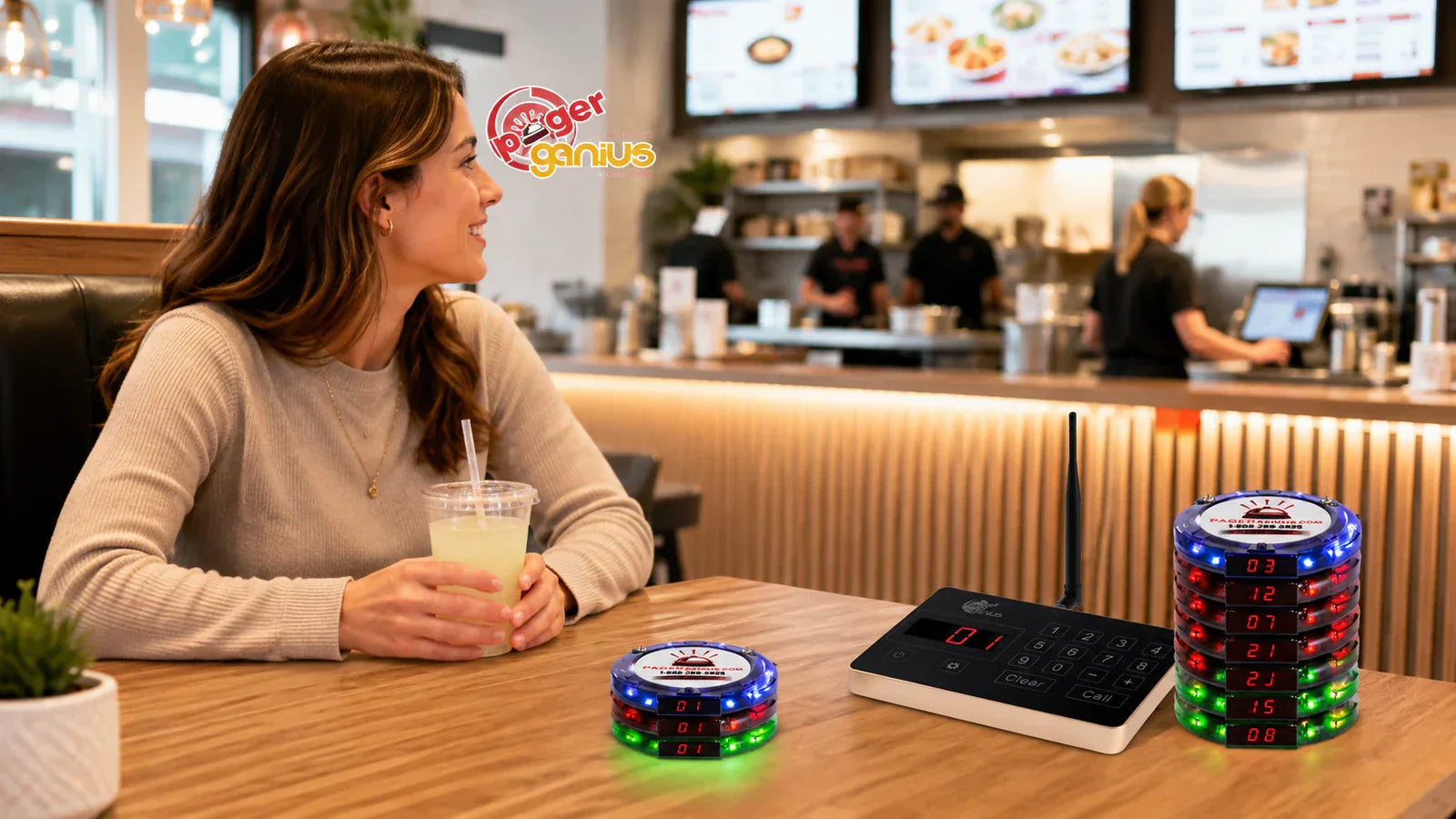
A restaurant paging system should let guests step away from the counter without losing their place in the pickup process. The right setup is not simply the one with the most pagers or the largest advertised range. It is the one that handles your busiest service, reaches your actual waiting areas, and has a complete cost you understand before buying.
For fast-casual food pickup, guests order and pay, take a pager, and sit down. Staff send the alert when the complete order is ready and collect the pager at pickup. For table waitlists, one pager brings a waiting party back to the host stand. This guide helps you choose the equipment, quantity, and coverage for either routine.
Need to cover a larger property? Pager Genius offers optional RE-100 range extenders. Add as many compatible units as your layout requires, so your coverage plan is not limited to the base transmitter alone.
Written by Pager Genius, a seller of restaurant paging equipment. Comparisons use the linked manufacturers' published information, not a physical head-to-head test. Prices and example calculations are labeled below.

Illustrative pickup routine: send the alert only when the complete order is ready.
How much does a restaurant paging system cost?
A useful price comparison starts with the complete configuration: the transmitter, guest pagers, charging equipment, and power supplies. An individual replacement pager is not a complete paging system, and a starting price does not tell you the price of every bundle.
Pager Genius's store listings show complete systems from $299. The selected pager quantity determines the bundle price. Use the product options to check the price and contents of your configuration; the starting price is not a quote for every bundle or the quantity shown in a product photograph.
| Item | Listed price | Before ordering |
|---|---|---|
| Complete paging system | From $299 | Select the pager quantity and confirm everything included. This is not a quoted price for a particular 20- or 30-pager setup. |
| Additional compatible pager | $32.95 for one | Confirm compatibility and programming for your existing system. |
| CH-100 charging dock with power supply | $36 | The dock listing specifies up to 15 pagers. Check which chargers your bundle already includes. |
| RE-100 range extender with power supply | $199.95 each | Optional coverage expansion. Add the quantity your layout needs; each unit requires power and reception of the existing paging signal. Confirm compatibility. |
Include expansion and replacement equipment in your budget. For example, three individually priced $32.95 pagers and one $36 dock add $134.85 before applicable delivery or tax. Two $199.95 range extenders add $399.90. These examples are separate from the main system price; order only the equipment your configuration needs.
For each supplier, ask for a quote showing the same pager quantity, transmitter count, charging capacity, and accessories. Include any range extenders needed for your coverage plan so you compare the complete setup rather than base hardware alone. Add any recurring software or messaging fees separately. The traditional standalone Pager Genius system has no monthly paging subscription; optional software and other types of paging products should be compared on their own terms.
See current Pager Genius bundles and selected-configuration prices.
Compare restaurant paging options by the job you need done
A simple keypad system, an integrated pager dispenser, and a text-based waitlist solve different problems. Start with your required workflow, then compare exact configurations. The examples below describe published options, not equivalent-price packages or a claim that one brand wins every category.
| Option | Published approach | What to verify for your restaurant |
|---|---|---|
| Pager Genius standalone system | Staff use a transmitter to notify a guest carrying a numbered pager. Guest alerts do not require a phone number, Wi-Fi, or a monthly paging subscription. Optional RE-100 range extenders expand coverage, with no preset limit on the number of compatible extenders you can add. | Your pager quantity, included chargers, model-specific coverage, range-extender quantity and placement, and replacement costs. Do not assume automatic POS integration. |
| JTECH NextUp | Offers a manual handout workflow and an integration-dependent kiosk dispensing option. | Whether you need a dispenser or a charging tower, and which integration and equipment are required for your ordering system. |
| LRS guest paging kits | Offers guest-paging configurations and connected waitlist options through LRS Connect. | The exact transmitter and pager kit, plus the requirements and costs of any connected services. |
| Retekess TD175P | The manufacturer lists a 30-pager set, seven alert-mode combinations, and up to 800 meters in open areas. | Included charging equipment, replacements, and coverage in your building. An open-area rating is not a measured indoor result. |
| TablesReady | A software alternative using guest texts, with waitlist, reservation, and two-way messaging features. | Subscription and message allowances, staff device requirements, connectivity, and how guest contact details are collected. |
Compare like with like. Ask whether a battery figure describes standby time or active use. Distinguish a pager's battery from a transmitter's battery. Match quantities before comparing price, and do not treat different manufacturers' maximum-range claims as a controlled head-to-head test.
For nearby food pickup, begin by evaluating a straightforward guest-paging setup. Investigate integration when it removes a real staff task, such as dispensing a pager from a kiosk. Evaluate software-led waitlists when remote joining, guest replies, or reservations are central to your operation.
Why choose Pager Genius for food pickup?
Pager Genius is worth considering when you want guests to wait nearby without managing a texting service for every order. The traditional standalone system does not need Wi-Fi, guest phone numbers, or a monthly paging subscription. Staff enter the pager number and send the alert when the order is ready.
Expand the right part of the system. More guests waiting at once means more compatible pagers and sufficient charging capacity. More space to cover means reviewing transmitter placement and adding RE-100 range extenders where needed. There is no preset limit on the number of compatible extenders you can add; placement, signal reception, and power still determine the coverage plan.
Plan around your service stations. Pager Genius supports multiple transmitters calling the same pager group, so separate pickup stations do not necessarily require independent pager pools. The company also provides U.S.-based customer support and sells compatible replacement equipment. Confirm the setup for your layout when ordering.
That is a case for a straightforward, expandable pickup system—not a claim that it replaces reservations, remote check-in, or every POS integration. Use the comparison above to decide which capabilities your restaurant actually needs.
How many restaurant pagers do you need?
Size the system for the highest number of pagers unavailable at the same time—not your seat count or total daily sales. A pager remains unavailable while a guest walks back, collects food, returns the device, and while staff prepare it for the next handout.
For fast-casual food pickup
Use orders that actually receive a pager. Exclude delivery or other orders handled through a separate process.
Estimated pagers in circulation = pager-issued orders per busy hour × average minutes from handout until ready to reissue ÷ 60.
Then add a planning reserve and round up. At 90 pager-issued orders per hour and a 12-minute cycle, the estimate is 18 pagers in circulation. Adding a 25% reserve gives 22.5, rounded up to 23 working pagers.

| Pager-issued orders/hour | Minutes until reusable | Estimated in circulation | With reserve, rounded up |
|---|---|---|---|
| 40 | 12 | 8 | 10 pagers |
| 60 | 12 | 12 | 15 pagers |
| 90 | 12 | 18 | 23 pagers |
| 120 | 15 | 30 | 38 pagers |
This average-flow estimate can miss a short burst. Count the most pagers simultaneously out during a representative rush. When that observed number is higher than the estimate, use it as your baseline and add an appropriate reserve. Do not round down to a familiar bundle size when your calculation calls for more.
For table waitlists
Count waiting parties when you issue one pager per party. For example, 25 waiting parties with an illustrative 20% reserve calls for 30 pagers. A six-person party does not need six pagers just because six diners are waiting.
When food pickup and the table waitlist operate together, account for both pools. Also check that your charging equipment accommodates the devices that need charging—not simply that the transmitter can address them.
Restaurant pager range and expandable coverage
Start with the locations guests are allowed to use: the dining room, entrance, patio, or another designated waiting area. "Can we notify someone at our farthest patio table?" is more useful than choosing equipment solely by the largest advertised range.
Pager Genius's current standard specification is up to one mile of line-of-sight range before adding range extenders. Walls, building materials, equipment, and other obstacles can reduce usable coverage. This base-system rating is not the limit of an expanded installation. The restaurant pager range guide explains how compatible extenders can relay the signal across larger areas.
Expand coverage with as many range extenders as you need
Pager Genius supports as many compatible range extenders as your property requires, with no preset limit on the number you can add. That gives you a way to plan coverage for additional dining areas, patios, multiple floors, and larger properties instead of treating the transmitter's standalone range as a fixed boundary.
The Pager Genius RE-100 range extender receives the paging signal and repeats it from its own location. Each extender needs power and must be positioned where it can receive the signal. Compatible extenders can also relay from one another, as described in the Pager Genius range guide. They do not require an internet connection or phone line.
Plan the number and placement around your property, including building materials, obstacles, and power availability. Then test the waiting areas after installation. Ask Pager Genius to help plan pager and extender quantities for your dining room, patio, or additional floors.

Illustrative test locations only—not a measured coverage map or a promise of signal range.
Before depending on a location during service, place the transmitter where staff will use it and install any range extenders in their planned positions. Check each waiting area with several pagers and repeated alerts. Include the entrance and the far edge of the patio, not just a convenient indoor table. Record missed alerts, adjust equipment placement or add an extender as needed, and repeat the checks after changes.
Give guests a practical waiting boundary even when the system covers a much larger area. A reachable location may still be too far away for quick food collection. Paging tells someone to return; it cannot keep an order fresh during a long walk back. Match the waiting area to your service routine as well as your expanded signal coverage.
Battery life, charging, and replacement planning
Pager Genius's current standard guest-pager specification is up to 72 hours after a full charge, with an approximately 60-minute full charge. An extended option of up to 125 hours is available by special order, not as the default. Match these specifications to the equipment configuration on your quote; older equipment and different products should not be assumed identical. See Pager Genius's published battery-life information.
Make charging part of the closing routine and verify readiness before opening. Keep a defined return location, set damaged devices aside, and follow the instructions for cleaning and charging your model. Battery capacity is not a replacement for an organized return process.
Ask how replacement pagers are programmed and how long supply normally takes. Keep the model information accessible so staff do not order an incompatible device. When expanding, include any additional charging equipment in the budget.
Restaurant pagers or text messages?
Choose based on where guests wait and what they need to do next. A physical guest pager supplies a nearby alert without requiring a guest's phone. A texting platform may also provide a remote waitlist, replies, or reservation tools; those features can justify a different staff process and cost structure.
| Decision | Standalone guest pager | Text notification |
|---|---|---|
| Guest's equipment | A restaurant-issued pager. | An SMS-capable phone. Ordinary texting does not inherently require a smartphone. |
| Waiting area | The system's tested coverage area, including areas reached through compatible range extenders. | Depends on mobile and service connectivity, not the restaurant's local pager-transmitter range. |
| Staff routine | Assign, page, collect, and prepare for reuse. | Capture the correct contact details and manage notifications in the chosen service. |
| Costs to check | Equipment, replacement pagers, chargers, and any range extenders needed. | Provider plan, included messages, usage charges, and optional features. |
A restaurant serving paid orders to guests who stay nearby may not need a full waitlist platform for that task. A host stand handling longer waits and guests who leave the immediate area may value texting and two-way communication. TablesReady's published feature descriptions give one example of those software-led capabilities.
Do not assume equipment automatically integrates with your POS. Working alongside a printed ticket is different from software sending a page. Confirm any automatic connection with the providers involved before making it part of your staff routine.
Use one clear food-pickup routine
At ordering, match the pager number to the order in a place the pickup team can see. Tell the guest where to wait and exactly where to return. A useful instruction is: "Take a seat in our waiting area. Bring the pager back to this counter when it alerts you, and we'll hand over your order."
At pickup, check that the complete order is ready before paging. Calling a guest back early simply moves the wait back to the counter. Collect the pager during the handoff, verify the order, and prepare the device for reuse according to its instructions.
Agree on a fallback for an unreturned pager or a missed alert. Staff should still be able to identify the order without guessing. For a basic explanation of the equipment process, read how restaurant pagers work.
An example from a customer
Brew Masters Deli offers a useful layout example. In a testimonial published by Pager Genius, owner Jessica LeFur describes taking orders at the bar while guests collect food at the kitchen counter. She specifically highlights the ability to separate the pager charging location from the keypad. When ordering and pickup happen in different places, decide where the pager is issued, where the alert is sent, and where it is returned.
Questions to answer before you buy
A useful quote should identify the pager and transmitter models, device quantities, charging capacity, power supplies, any range extenders, and the complete price. Ask about replacement compatibility and written warranty and return terms. Verify any automatic ordering-system connection separately.
Do guest pagers need Wi-Fi?
The traditional standalone Pager Genius system does not need Wi-Fi or a guest phone for paging. This does not describe every product the company sells: connected software and Wi-Fi-based systems are separate options.
Can I add more pagers later?
Compatible additional Pager Genius pagers are available. Check your existing model, programming, and charging capacity before ordering. A transmitter's ability to address another pager does not provide another charging position.
How many range extenders can I use with Pager Genius?
There is no preset limit on the number of compatible range extenders you can add. Use as many as your coverage plan requires, with power and reliable signal reception at each location. Plan placement with Pager Genius and verify coverage on-site. Extenders increase the area reached; additional pagers and chargers address how many guests can use the system at once.
Are table call buttons the same thing?
No. With a guest pager, staff notify the guest. With a table call button, the seated guest requests staff attention. Choose the direction of communication you need.
Will pagers make food cook faster?
No. They change notification and handoff, not cooking time. Set realistic goals such as a clearer return instruction and a defined pickup process. Measure results in your own restaurant rather than assuming a particular revenue or labor improvement.
Choose the system around your busiest service
Choose enough pagers for your busiest service, coverage for the places guests actually wait, and a staff routine everyone can follow. With Pager Genius, you can expand guest capacity with compatible pagers and extend coverage with as many compatible range extenders as your site requires.
Compare Pager Genius bundle options
Need help choosing the quantity or coverage? Send us your service and layout details, or call 1-800-289-3823. Include the waiting areas and pickup stations you need to serve so the discussion covers the whole setup—not just a pager count.
Sources and scope: Public price and feature references were checked October 16, 2026. Pager Genius information comes from its store listings and FAQs, linked product pages, and range guide. Each comparison links to the relevant manufacturer or provider. The business supplied the current standard battery specifications; confirm the exact model and configuration when ordering. The customer example is an attributed testimonial. Prices and configurations can change. Illustrations and sizing examples are not measured test results.
